Refresh a product photo
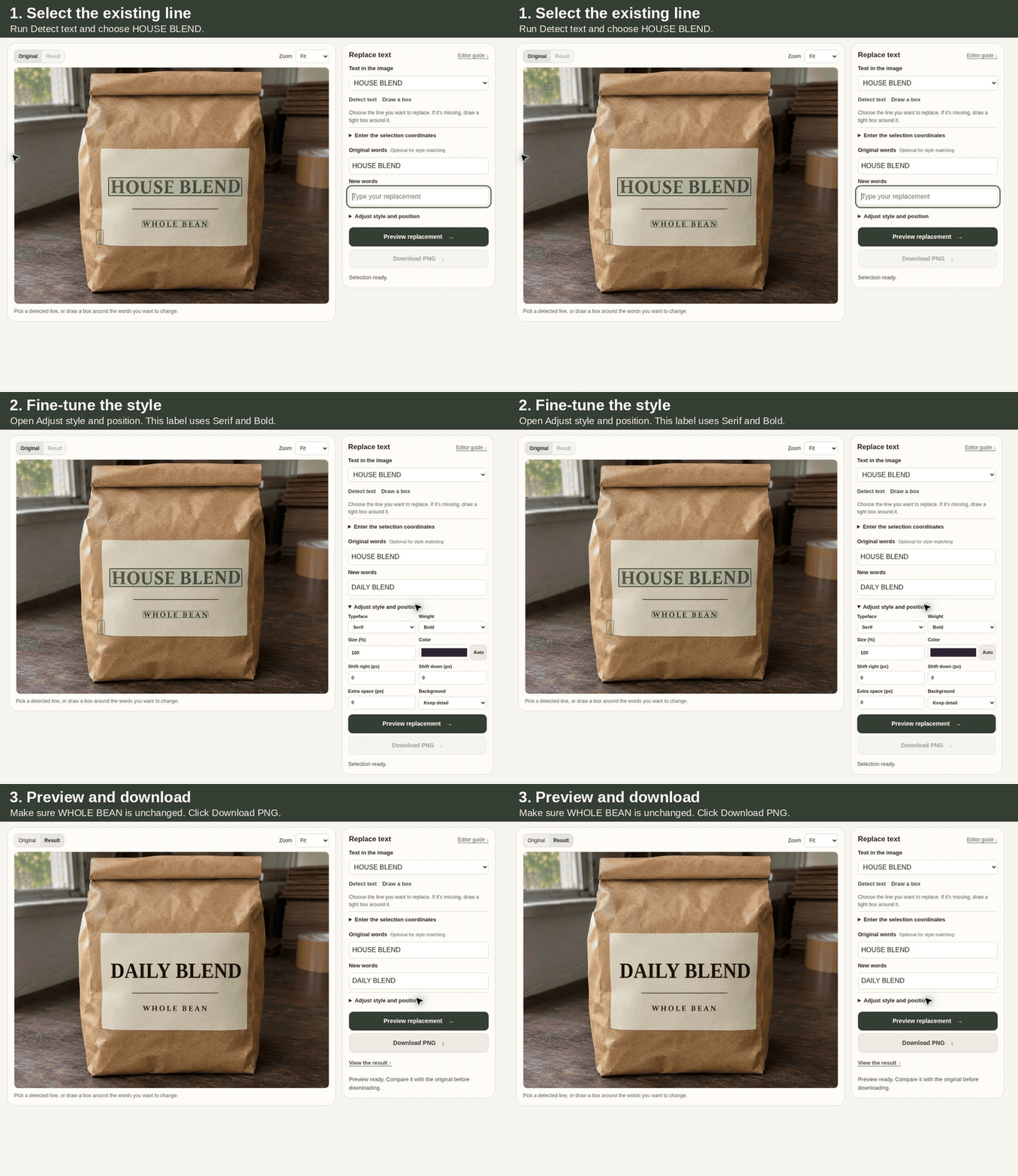
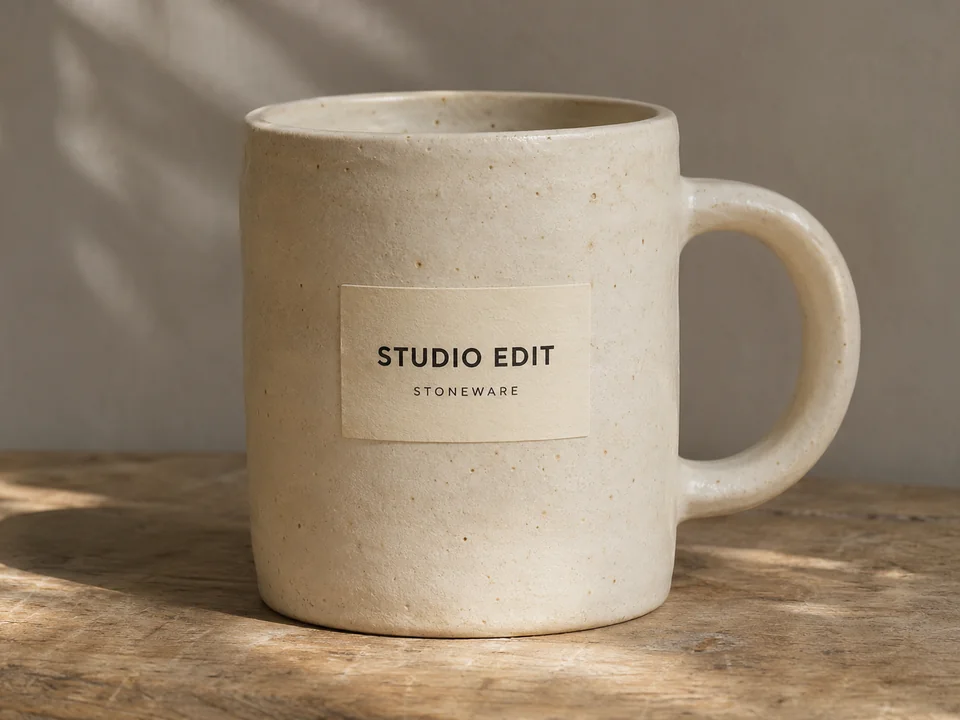
STUDIO EDIT → WINTER EDIT. The STONEWARE line stays in place.
Update a product label or sale headline in a finished JPG or PNG. Keep the design you already have.
Pick the existing text and type your replacement.
JPG or PNG · Up to 12 MB and 16 MP
Pick a detected line, or draw a box around the words you want to change.
See what changed and check the details in the original design.
STUDIO EDIT → WINTER EDIT. The STONEWARE line stays in place.
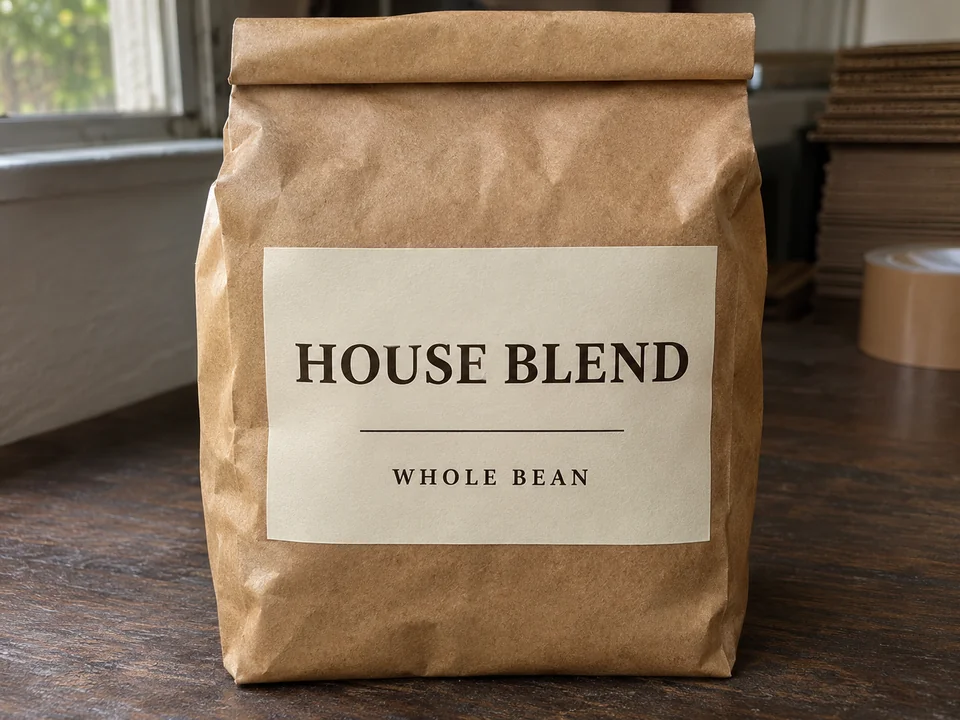
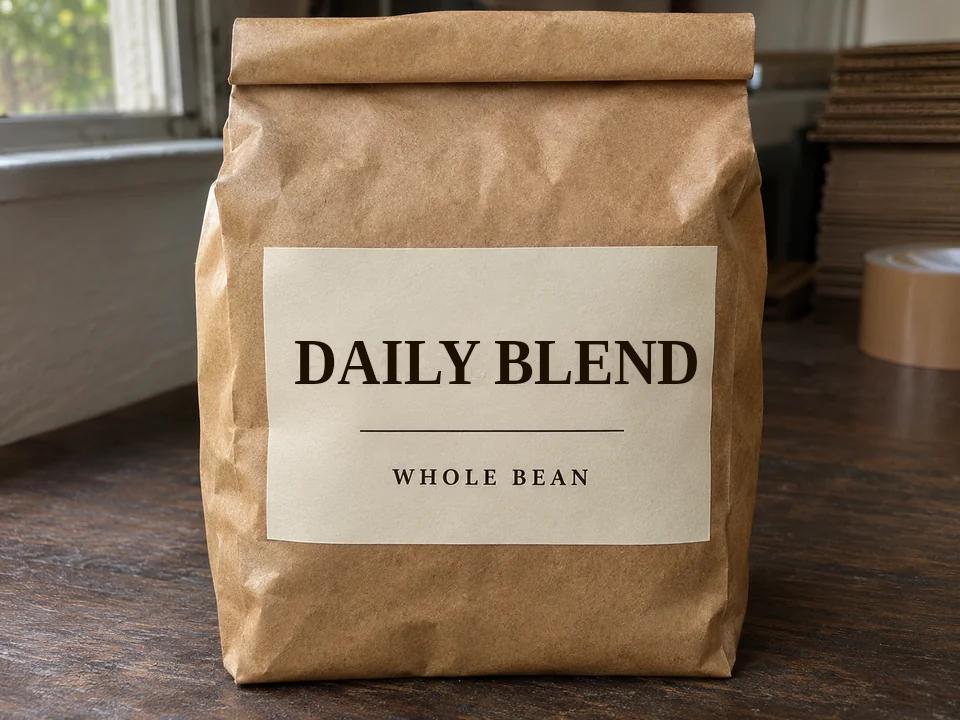
HOUSE BLEND → DAILY BLEND. The bag and smaller label text are preserved.
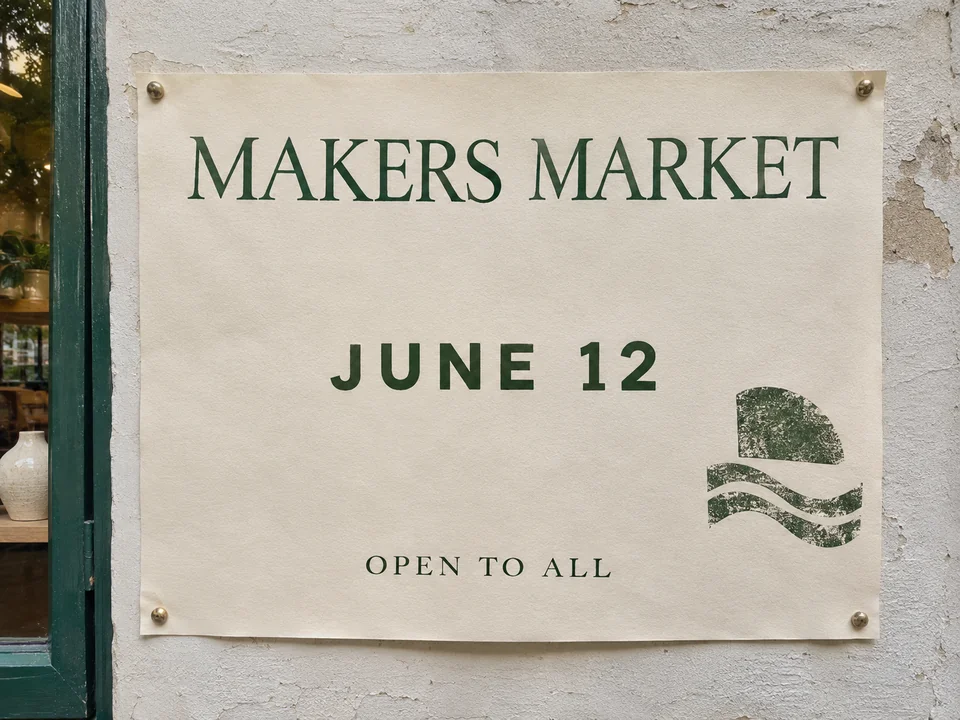
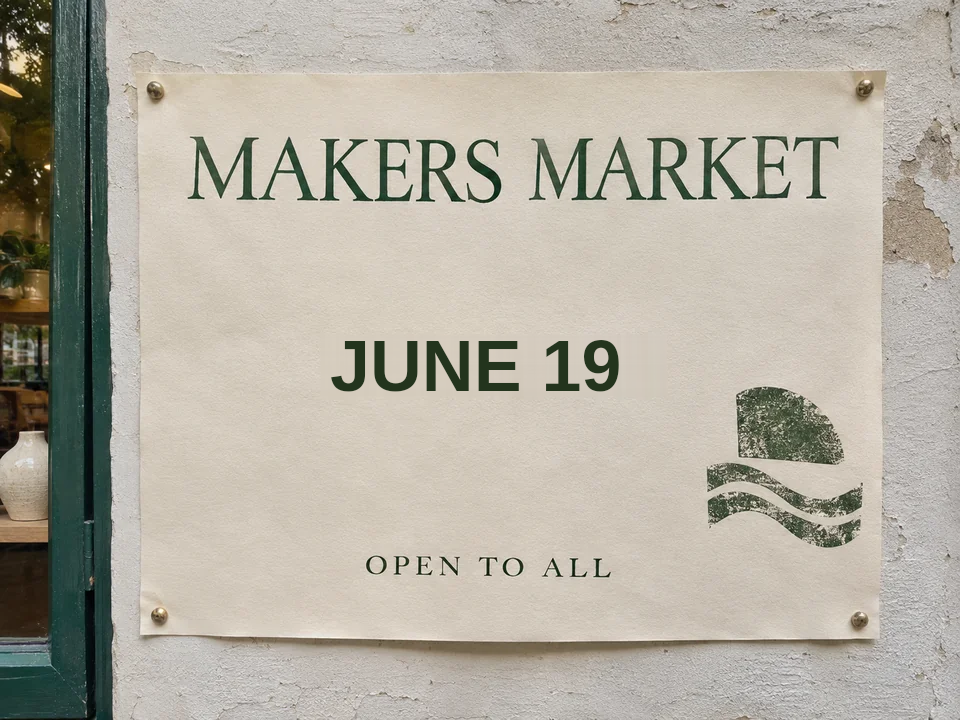
JUNE 12 → JUNE 19. Zoom in to check the textured paper around the new date.
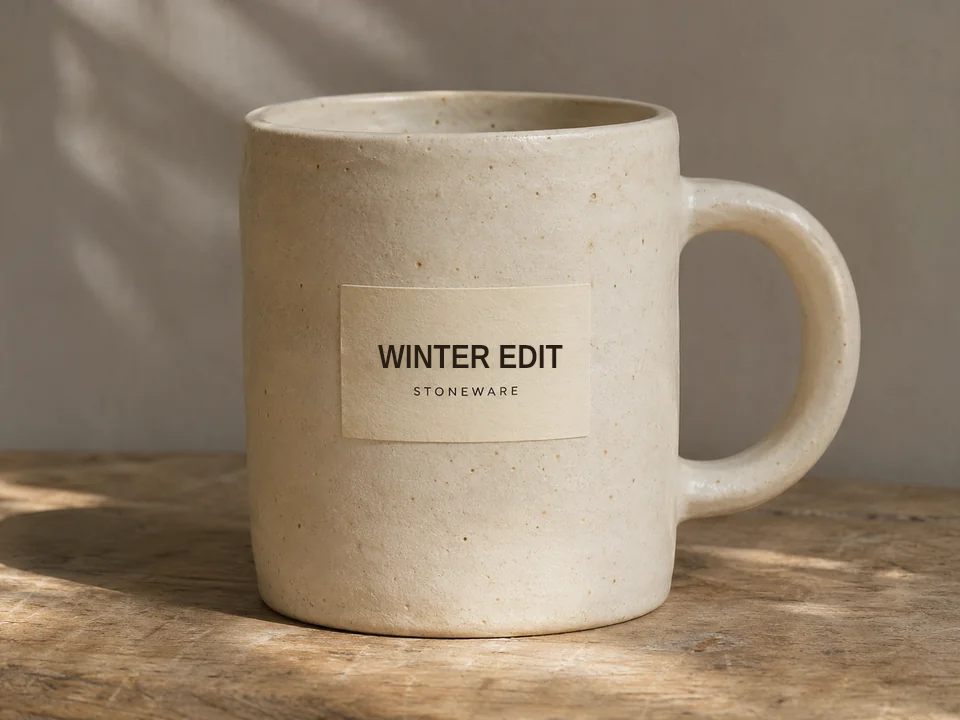
Follow along with the coffee label. Change HOUSE BLEND to DAILY BLEND and leave WHOLE BEAN in place.
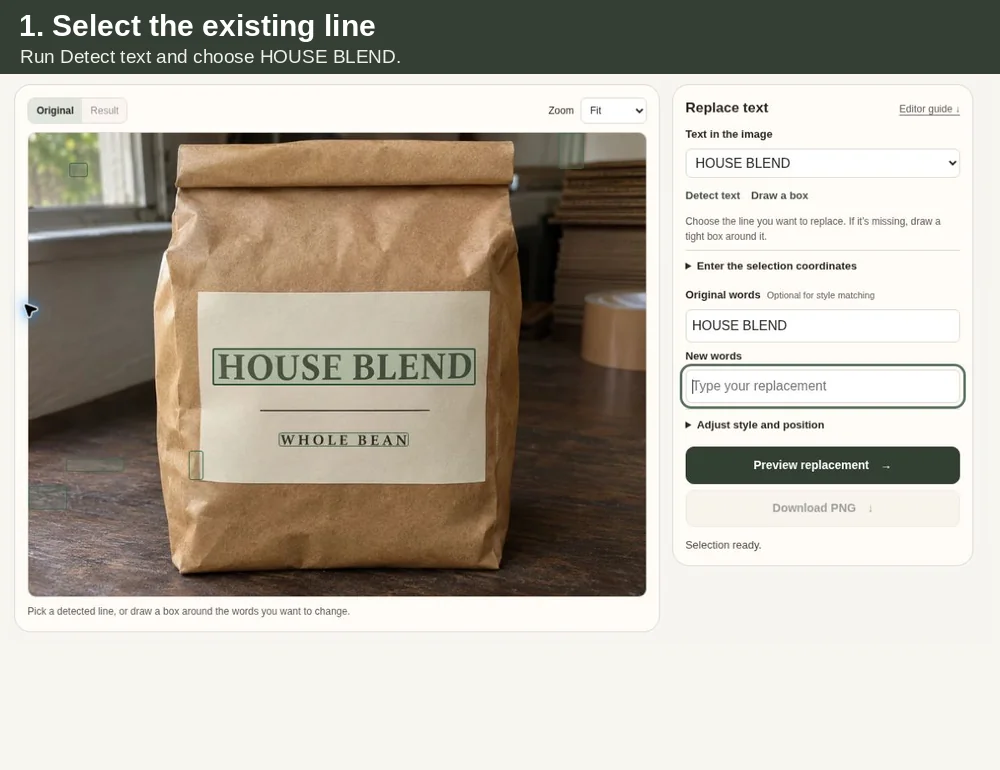
Use Detect text and choose HOUSE BLEND under Text in the image. If it’s missing, use Draw a box and leave a small margin around the letters. For exact selection, enter Left, Top, Width and Height in image pixels and click Set selection.
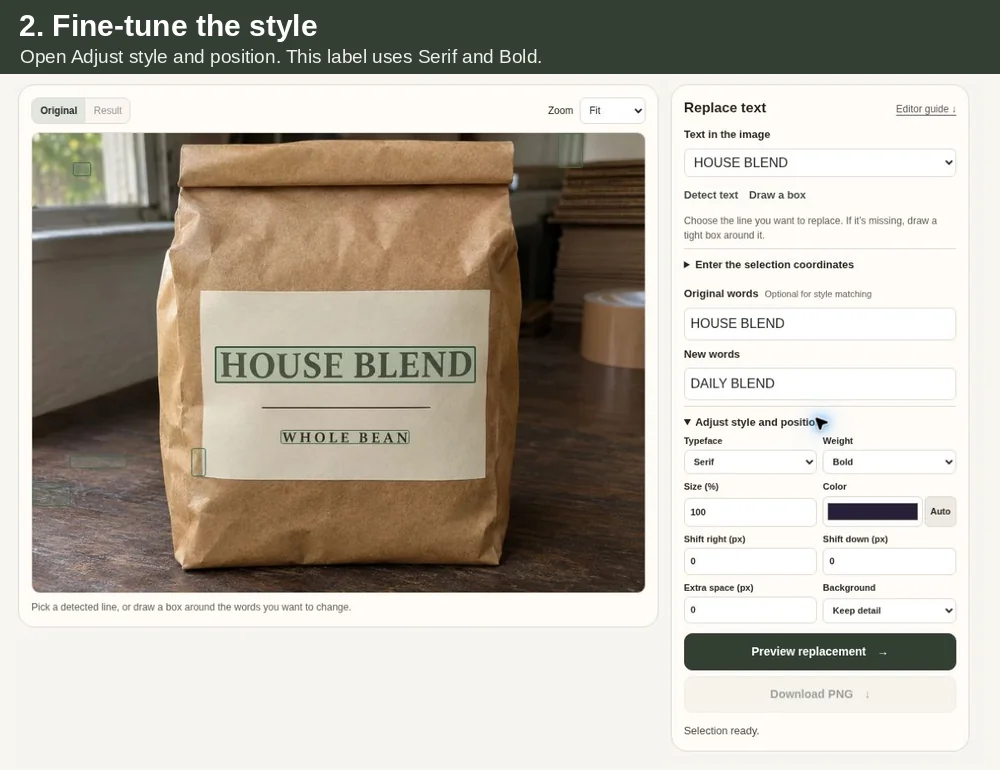
Type DAILY BLEND under New words. Fill in Original words to help estimate the old style when you draw a box yourself. Open Adjust style and position if the preview needs a closer match.
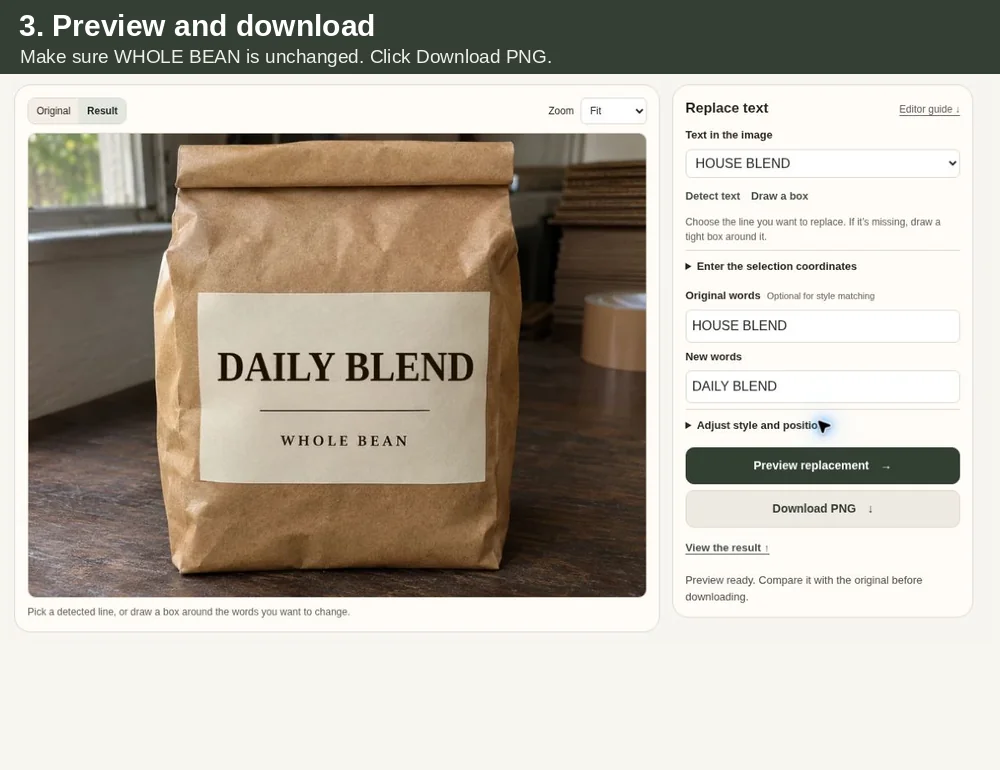
Click Preview replacement and switch between Original and Result. Check that WHOLE BEAN and the line beneath the blend name are intact. Preview again after changes, then download the original-size PNG.
What to expect when you change text in an image.
Yes. Open a JPG or PNG and select the existing words you want to replace, such as a product name on a label or the headline on a sale graphic. Preview the change, then download a PNG at the original pixel size.
The editor estimates a similar style from the selection. You can choose among three typeface styles and adjust size, color and placement. Short, clear text on flat or lightly textured backgrounds is the best fit. Decorative lettering, curved text and complex images may need extra edits.
Check the selection close-up and choose Adjust box if the outline cuts through a word. If no line is available, use Draw a box and leave a little padding. Correct Original words to help the editor match the style.
You can use the editor and download your PNG for free. There is no account or subscription for this version.
It depends on the size of your image and the speed of your device. The first automatic text scan also loads an English recognition file. You can draw a selection while it loads.
Image selection, editing and export run in your browser. The recognition model is downloaded to your browser, where it reads the image locally. RetypeImage does not receive your images.
Allow Google Analytics to count visits, editing steps and optional ratings. Your images and words stay on this device. Privacy details